Downloading APK files can be a convenient way to access Android apps that are unavailable on official app stores. However, installing an unsafe APK can expose your device to malware, spyware, data theft, and other security risks. Understanding How to Check If an APK File Is Safe is essential before installing any application on your Android device.
In this guide, you will learn the most effective methods to verify APK files and protect your smartphone from potential threats.
Why APK Safety Matters?
APK files are Android application packages that contain all the files needed to install an app. While many APKs are safe, some may contain malicious code designed to steal personal information, display unwanted ads, or damage your device.
Before installing any APK, users should always verify its authenticity and security. Knowing How to Check If an APK File Is Safe can help you avoid serious security issues and maintain your privacy.
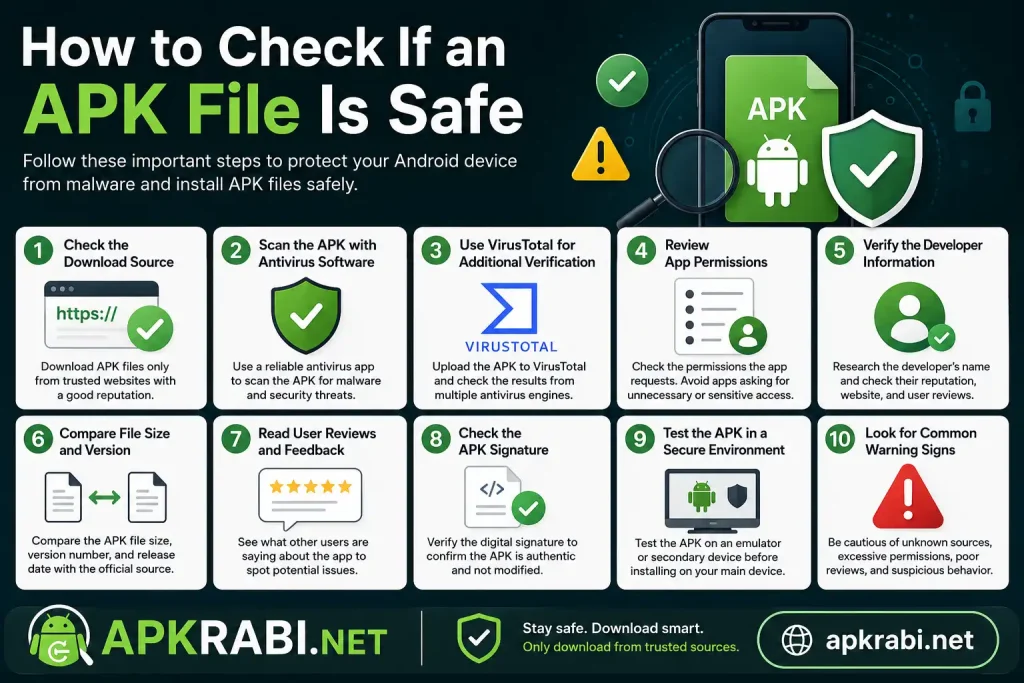
Check the Download Source
The first step is to review where the APK comes from. Trusted websites usually scan files before publishing them and maintain strict security standards.
A reliable source should:
- Have a good online reputation
- Provide clear app information
- Offer verified downloads
- Regularly update APK versions
- Avoid excessive pop-up advertisements
Downloading from unknown or suspicious websites significantly increases the risk of malware infections.
Scan the APK with Antivirus Software
One of the easiest ways to verify a file is by scanning it with antivirus software. Most modern antivirus applications can detect malicious code hidden inside APK files.
Popular antivirus tools can:
- Identify malware threats
- Detect suspicious permissions
- Warn about harmful behavior
- Prevent unsafe installations
This is an important step when learning How to Check If an APK File Is Safe before installation.
Use VirusTotal for Additional Verification
VirusTotal is a well-known online service that scans files using multiple antivirus engines simultaneously.
To use it:
- Visit the VirusTotal website.
- Upload the APK file.
- Wait for the scan results.
- Review any detected threats.
If several security engines flag the APK as dangerous, it is best to avoid installing it.
Review App Permissions
Before installing an APK, check the permissions it requests.
Be cautious if an app asks for:
- Contacts access
- SMS permissions
- Call management
- Camera access without reason
- Location tracking unrelated to app functions
For example, a simple calculator app should not require access to your contacts or messages. Understanding permissions is a critical part of How to Check If an APK File Is Safe.
Verify the Developer Information
Legitimate applications are usually associated with known developers. Research the developer’s name and check whether they have an official website or social media presence.
Look for:
- Developer reputation
- User reviews
- Official app pages
- Consistent branding
Unknown developers with little information should be approached carefully.
Compare File Size and Version
APK files that differ significantly from official versions may have been modified.
Check:
- App version number
- File size
- Release date
- Changelog information
Large differences can indicate that the APK has been altered or repackaged with malicious code.
Read User Reviews and Feedback
Community feedback often reveals issues that automated scans may miss.
Look for comments mentioning:
- Malware warnings
- Excessive advertisements
- Device slowdowns
- Data privacy concerns
- Unexpected behavior
Reading reviews can provide valuable insights into app safety.
Check the APK Signature
Every legitimate Android application includes a digital signature that verifies the developer’s identity.
APK signature verification helps users:
- Confirm authenticity
- Detect modified versions
- Identify unofficial releases
Security-conscious users often compare signatures with the official app version before installation.
Test the APK in a Secure Environment
Advanced users can test APK files on:
- Secondary devices
- Android emulators
- Virtual machines
This allows you to observe app behavior without risking your primary smartphone or personal data.
Common Signs of an Unsafe APK
Watch for these warning signs:
- Unknown developer
- Excessive permissions
- Poor user reviews
- Unexpected file size
- Multiple antivirus detections
- Frequent pop-up ads
- Requests for sensitive information
If an APK displays several of these indicators, avoid installing it.
Best Practices for APK Safety
To stay secure:
- Download only from trusted websites
- Keep Android updated
- Use antivirus protection
- Scan every APK before installation
- Review permissions carefully
- Avoid modified or cracked apps
- Backup important data regularly
Following these practices greatly reduces security risks.
Conclusion
Knowing How to Check If an APK File Is Safe is essential for every Android user. By verifying the source, scanning files with antivirus tools, checking permissions, reviewing developer information, and using services like VirusTotal, you can significantly reduce the chances of installing harmful software. Before installing any APK, always take a few minutes to perform these safety checks. A careful approach can protect your device, personal information, and overall Android experience.