Video editing has become an essential part of content creation. Whether you are making videos for YouTube, TikTok, Instagram Reels, or personal projects, choosing the right editor can make a huge difference. The debate between CapCut vs Kinemaster: Best Video Editor is common among creators because both apps offer powerful editing tools for mobile users.
In this detailed comparison, we will explore features, performance, ease of use, pricing, and overall value to help you decide which editor suits your needs. If you are searching for the answer to CapCut vs Kinemaster: Best Video Editor, this guide covers everything you need to know.
What Is CapCut?
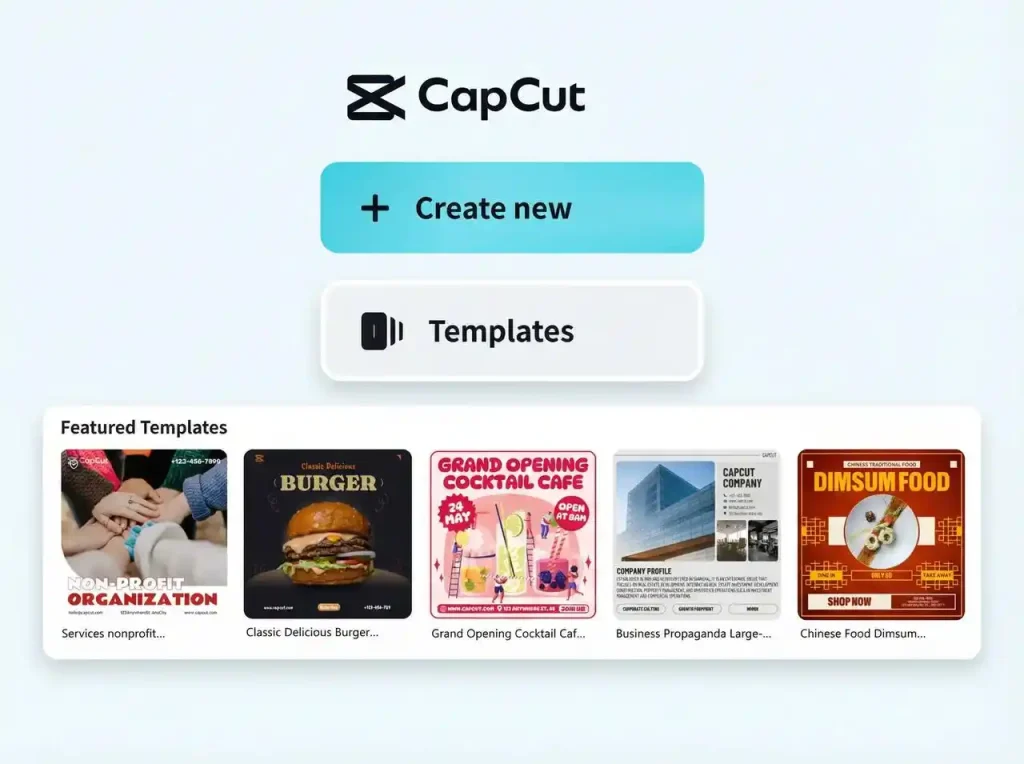
CapCut is a popular video editing application developed by ByteDance. It is widely used by content creators because of its simple interface, AI-powered features, and extensive collection of templates. The app offers professional editing tools while remaining beginner friendly.
Key Features of CapCut
- AI-powered editing tools
- Automatic captions
- Trending templates
- Advanced transitions and effects
- Background removal
- Music and sound effects library
- 4K video export support
- Easy social media integration
What Is Kinemaster?
KineMaster is a professional mobile video editing app known for its advanced timeline editing system. It provides powerful controls that allow users to create professional-quality videos directly from their smartphones.
Key Features of Kinemaster
- Multi layer video editing
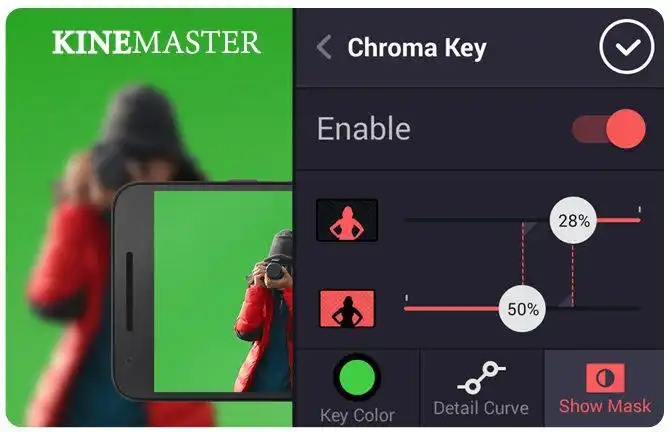
- Chroma key (green screen)
- Precise frame by frame editing
- Audio mixing tools
- Speed control options
- Professional transitions
- Multiple export settings
- Advanced text animations
User Interface Comparison
When comparing CapCut vs Kinemaster: Best Video Editor, user experience is one of the most important factors.
CapCut
CapCut offers a clean and modern interface. New users can easily understand the editing process without spending much time learning the controls. Most tools are available with simple taps, making editing fast and convenient.
Kinemaster
Kinemaster provides a more professional workspace. While it may take some time to learn, it gives creators greater control over every aspect of video editing. Advanced users often prefer this detailed editing environment.
Editing Features Comparison
CapCut Strengths
- AI editing assistance
- Automatic subtitles
- Trending social media templates
- One click effects
- Quick video creation
Kinemaster Strengths
- Professional layer management
- Advanced audio editing
- Chroma key support
- Detailed timeline controls
- Better precision for complex projects
For casual creators, CapCut is usually easier. For advanced editing tasks, Kinemaster often provides more control.
Performance and Speed
CapCut is optimized for modern smartphones and generally performs smoothly. It can handle short-form content efficiently without requiring extensive editing knowledge.
Kinemaster also performs well but may demand more system resources when working with large projects or multiple layers. On powerful devices, the experience remains smooth and responsive.
Templates and Effects
One major reason why many creators discuss CapCut vs Kinemaster: Best Video Editor is the availability of effects and templates.
CapCut offers thousands of ready-made templates that help users create professional looking videos in minutes. These templates are especially popular among TikTok and Instagram users.
Kinemaster focuses more on manual editing rather than template-based creation. While it includes effects and transitions, it gives users more freedom to build custom edits from scratch.
Export Quality
Both apps support high-quality exports, including Full HD and 4K resolution.
CapCut
- 720p, 1080p, and 4K exports
- Optimized for social media
- Fast rendering process
Kinemaster
- High-resolution exports
- Detailed bitrate control
- Better customization options
If export customization matters, Kinemaster has a slight advantage.
Pricing Comparison
CapCut
Many powerful features are available for free. Premium options unlock additional effects, templates, and AI tools.
Kinemaster
Kinemaster follows a subscription model. The premium version removes watermarks and unlocks advanced assets and tools.
For budget conscious users, CapCut generally provides better value because many features are available without requiring a paid subscription.
Which App Is Better for Beginners?
If you’re new to video editing, CapCut is usually the better choice. Its simple design, templates, and AI features make the editing process much easier.
Kinemaster is better suited for users who want greater control and are willing to spend time learning advanced editing techniques.
CapCut vs Kinemaster: Best Video Editor for Content Creators
When evaluating CapCut vs Kinemaster: Best Video Editor, the answer depends on your editing style.
Choose CapCut if you:
- Create TikTok or Instagram videos
- Want quick editing tools
- Prefer AI-assisted features
- Need ready-made templates
Choose Kinemaster if you:
- Need professional editing controls
- Work with multiple layers
- Use green screen effects
- Want detailed audio editing
For most social media creators, CapCut vs Kinemaster: Best Video Editor often ends in favor of CapCut due to its ease of use and modern features. However, professional mobile editors may still prefer Kinemaster for its advanced controls.
Final Verdict
The debate over CapCut vs Kinemaster: Best Video Editor continues because both apps serve different audiences. CapCut excels in simplicity, templates, and AI-powered tools, making it ideal for beginners and social media creators. Kinemaster offers deeper editing controls and professional grade features for experienced users.
If you want fast, modern, and easy editing, CapCut is an excellent choice. If you need advanced editing precision and professional tools, Kinemaster remains one of the best mobile video editors available.
FAQs
CapCut is better for beginners and social media creators, while Kinemaster is better for advanced editing.
Yes, CapCut offers many powerful editing features for free.
Yes, Kinemaster includes a chroma key feature for green screen editing.
Both are suitable, but Kinemaster offers more professional editing controls for longer projects.
CapCut is generally easier for beginners due to its simple interface and AI-powered tools.